
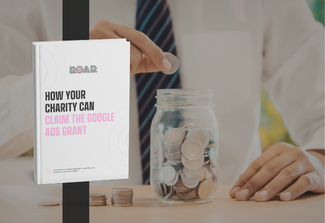
How Your Charity can Claim the Google Ads Grant
Created by Kyle Headland, Head of Paid Advertising at ROAR.
This free guide shows UK charities and non-profit organisations how to apply for and claim the Google Ads Grant. You will learn whether you qualify, how to set up your account and how to turn monthly ad credit into donations, volunteers and enquiries.
What’s inside the guide?
- Google Ads and the grant: How Google Ads works and what the Google Ads Grant gives eligible organisations each month.
- Who qualifies: The requirements your organisation must meet to qualify as a non-profit for the grant.
- Account setup, step by step: From registering with TechSoup or Percent and securing your validation token to completing Google for Nonprofits.
- Maximising your grant: How to get more from your monthly ad credit, plus the Google Ads support available from ROAR.
What will your charity get from it?
You’ll know whether your charity qualifies, and you’ll have a clear path from registration to a live Google Ads account. You can then use your monthly ad credit to promote your mission, recruit volunteers, raise donations and fill your events. Your ads appear when people search Google for causes like yours.
It matters because supporters use search to find causes before they give. [STAT NEEDED: UK figure on donors or volunteers using search, with source and year.] If your charity doesn’t appear, those donations and sign-ups go elsewhere. Every month you don’t claim the grant is free ad credit left unused.
Who’s it for?
This guide is for marketing managers, fundraising leads, chief executives and trustees at UK charities and non-profit organisations. It’s most relevant if you haven’t claimed the grant yet, or you have an account but aren’t confident you’re using it well.
FAQs
How long does it take to see results from the Google Ads Grant?
Your ads can start bringing in donations and enquiries once they’re live. The main wait is before that, while your charity is validated and Google reviews your application. [KYLE TO CONFIRM: typical time from application to live ads.] You can’t speed up the review, but you can avoid delays caused by missing details. The guide takes you through each setup step in order, so your application is complete first time.
Do we need a Google Ads specialist to set up our grant account?
No. Once you’ve confirmed your charity is eligible, getting the account set up and running is straightforward. Most of the work is registration: securing a validation token through TechSoup or Percent, then completing your Google for Nonprofits details. Where specialist help pays off is in running the account well after launch. The guide covers both, with the setup steps laid out in order and a section on maximising your grant.
Is the Google Ads Grant worth it for small charities?
Yes, if your charity meets the eligibility requirements. The grant gives you free ad credit every month, so your main cost is the time it takes to set up and manage. That matters most for small charities with little or no advertising budget. The guide sets out the requirements first, so you can check you qualify before you spend time on the application.
Can ROAR help us put the guide into practice?
Yes. Our team can check your eligibility, audit your account, plan campaigns around your goals and track the donations and enquiries they bring in. We work alongside your team on content and your developer on technical changes such as conversion tracking. If you’d rather not run the account yourself, we can manage it for you. Find out more on our PPC services page.
Is the guide free?
Yes. Submit the form below and you’ll get the download link straight away. We’ll also email the link to you, so you can come back to it when you start your application. There’s no cost to download it, and no commitment to work with ROAR.
Download Resource
"*" indicates required fields